How it works
Practice, review, and repeat with a clear study loop.
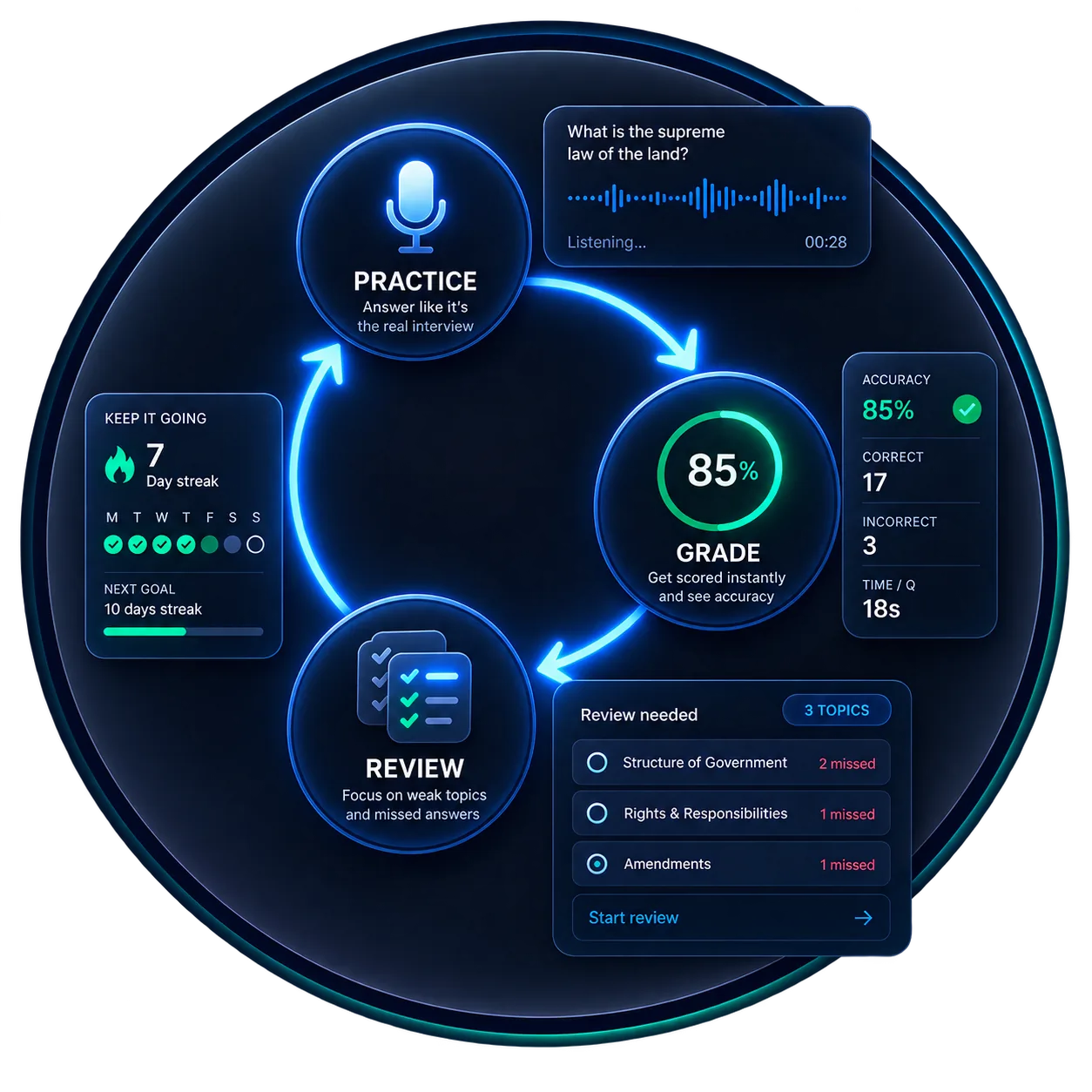
CitizenMate turns each session into a simple cycle: choose a mode, answer like you would in the interview, get graded, and use the result to decide what to practice next.
Practice loop
A focused cycle for every session
The loop is intentionally narrow. You should always know what the app is asking you to do, why the answer was accepted or missed, and where to go next.
01
Pick the practice mode
Run a full civics mock interview, review targeted questions, or switch to English practice when that is the skill you need.
02
Answer in the interview rhythm
Hear the prompt, answer aloud when possible, and use typed fallback when voice input is not practical.
03
Get concept-level grading
The app compares your answer against accepted civics concepts and handles close answers conservatively.
04
Turn results into review
Session summaries show score, missed topics, pacing, and the questions that deserve another pass.
Inside the app
Three views do most of the work.
These panels are product-style previews, not final screenshots. They mirror the real app areas that matter most: active practice, study review, and performance history.
Active interview
Answer one question at a time
Officer
What are two rights in the Declaration of Independence?
Your answer
Life and liberty.
Timer
0:24
Study library
Review by risk, topic, and locality
Current officials
Dynamic answers for your location
Bookmarked
Questions you chose to revisit
Review needed
Missed or slow answers
Performance
See whether practice is improving
Latest mock score
80%
Passed target range
Why the loop matters
The app is designed around practice decisions, not passive reading.
After each session, the question is simple: do you need another full mock interview, focused review on weak topics, or more repetition with spoken answers? CitizenMate keeps those paths visible.
Ready to try the loop?
Create an account and start with a mock interview or targeted civics review.